XactAI Line Item Advisor
 Updated
by
Heather Jones
Updated
by
Heather Jones
XactAI is a suite of AI features throughout Xactware products and allows users to streamline processes. If you want to add it to your account, contact our sales department (800-424-9228). You can also purchase XactAI in the Xactware store.
When XactAI is enabled, you have access to XactAI Line Item Advisor. If you are unsure which line item is right for your situation, you can ask XactAI a question about which line item to use, and Xactimate provides up to three options that fit the information.
Exclusions and Limitations
XactAI Line Item Advisor is designed to provide line items based on your input but cannot provide the following information:
- Item activity information such as pricing breakdowns or detailed material and labor costs
- All items needed for a described job
- Brand‑specific items or comparisons across different brands
- Pricing determined by other products or companies
Access XactAI Line Item Advisor
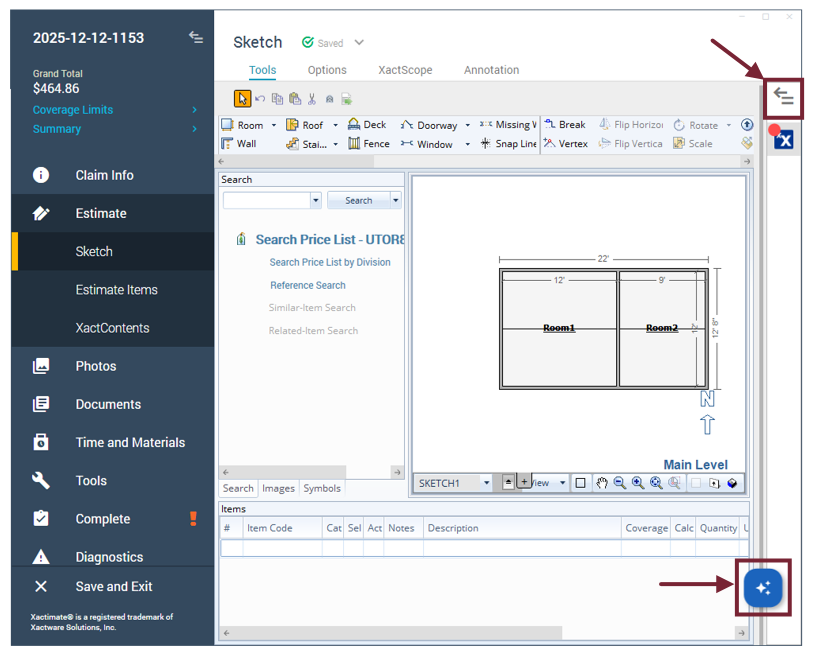
You can find XactAI Line Item Advisor in the drawer on the right side of the screen. This drawer is available at any time within a project (it also includes the XactXpert pane). If it is not already open, you can access the drawer in two ways:
- Select the arrow at the top of the ribbon.
- Select the XactAI widget in the lower right of the screen.
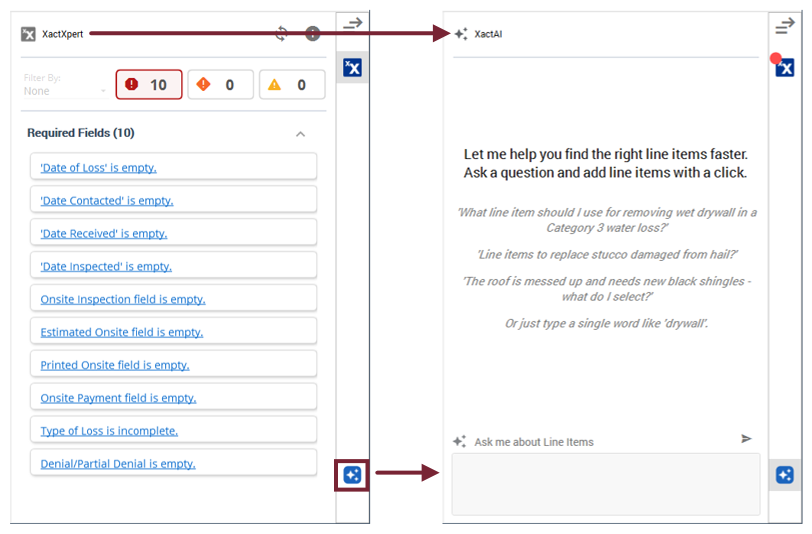
When the drawer is open, it either shows XactXpert or XactAI Line Item Advisor, depending on your settings. If it is currently showing XactXpert, select the XactAI icon to switch to XactAI.
Use XactAI Line Item Advisor
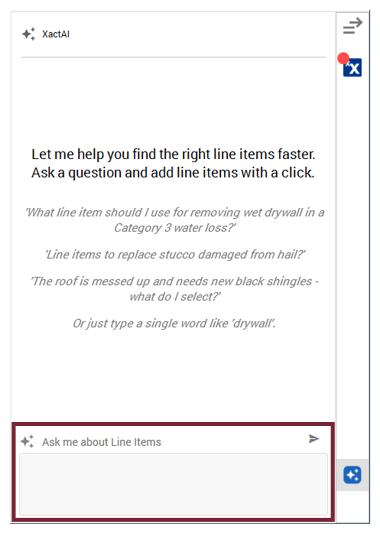
When you are ready to find line items through the feature, select the text field in the drawer and add the pertinent information. You can ask a question, explain a situation, provide keywords, or provide other text that can help the advisor determine which line items you are searching for.
When your prompt is ready, either select the Enter key on your keyboard or the Send icon above the text field.
Xactimate reviews your prompts and provides two or three possible line item matches based on the information provided. If the advisor does not provide an adequate option, you can refine the search by giving more information or clarifying what you are searching for; XactAI allows you to build on previous prompts.
If you want XactAI to ignore your previous prompts and provide a new line item, you can close and reopen the project or simply let XactAI know you are now searching for a new item.
For example:
- Initial inquiry: I need to replace a door.
- Clarifying prompt: Just the trim.
- New inquiry: I now need shingles for a roof.
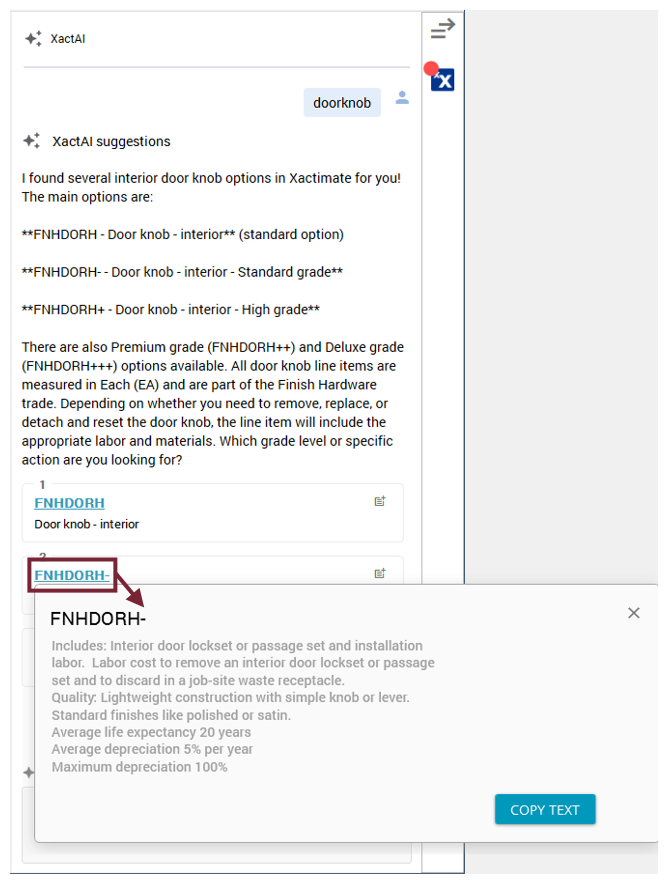
You can view additional details about each provided item by selecting the Cat/SEL blue text for the item.
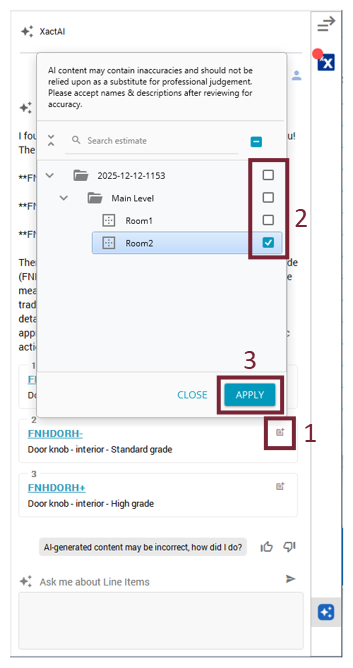
When you find the correct item, complete the following:
- Select the icon on the right side of the item row.
- In the window that opens, select the appropriate room.
- Select Apply.
If you need to make edits to the item after it’s added, you can do so in the Quick Entry pane the same way you would with any regular line item.
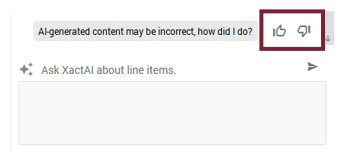
Note: You can help improve XactAI by rating the responses it provides. To do so, select either the thumbs up icon (indicating that XactAI was accurate or helpful) or the thumbs down icon (indicating that XactAI was incorrect or unhelpful).