Bypass a Warning
 Updated
by
Mara K
Before You Begin
XactXpert must be set up in XactAdmin and activated before it can be used in Xactimate. Contact your administrator to begin this process. Only Warnings can be bypassed. Your organization may require an approved bypass reason
Steps
Bypass a warning
- From within a project, open the Inspection results drawer.
- Ensure that you are on the XactXpert tab.
- Select the Warnings tab.
- From the list, choose which Warning you want to bypass.
- Activate the Bypassed toggle.
- In the Reason for bypass field, choose a reason for not resolving the Warning.
Note: Depending on the settings in XactAdmin, you may either choose from a list of approved bypass reasons or enter your own bypass reason into the field.
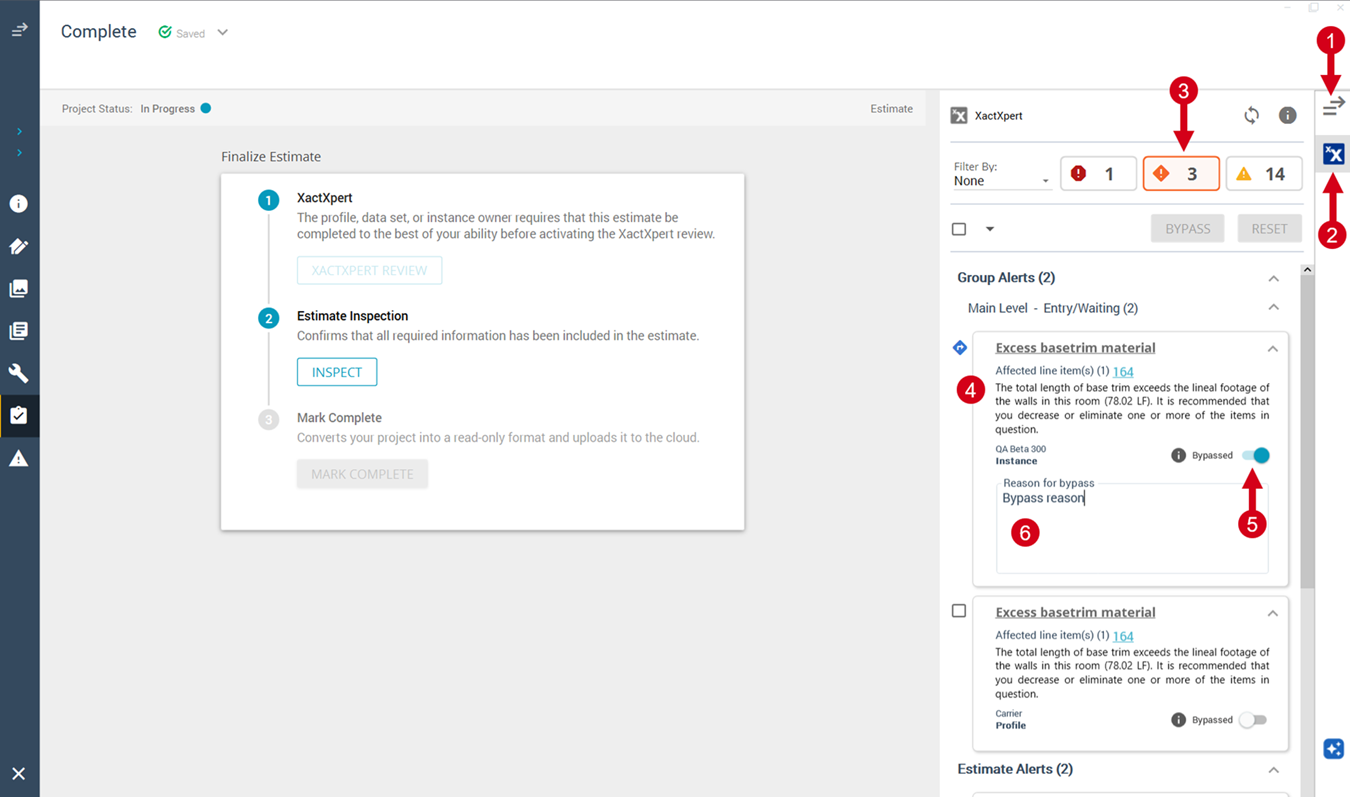
Expected result
The Warning icon changes to the bypassed icon. It remains in the Inspection sidebar and displays the saved bypass reason.No further action is required for the Warning.