Bypass multiple Warnings
 Updated
by
Mara K
Multiple bypass applies the same bypass reason to several Warnings at the same time.
Before You Begin
XactXpert must be set up in XactAdmin and activated before it can be used in Xactimate. Contact your administrator to begin this process. Only Warnings can be bypassed.
Steps
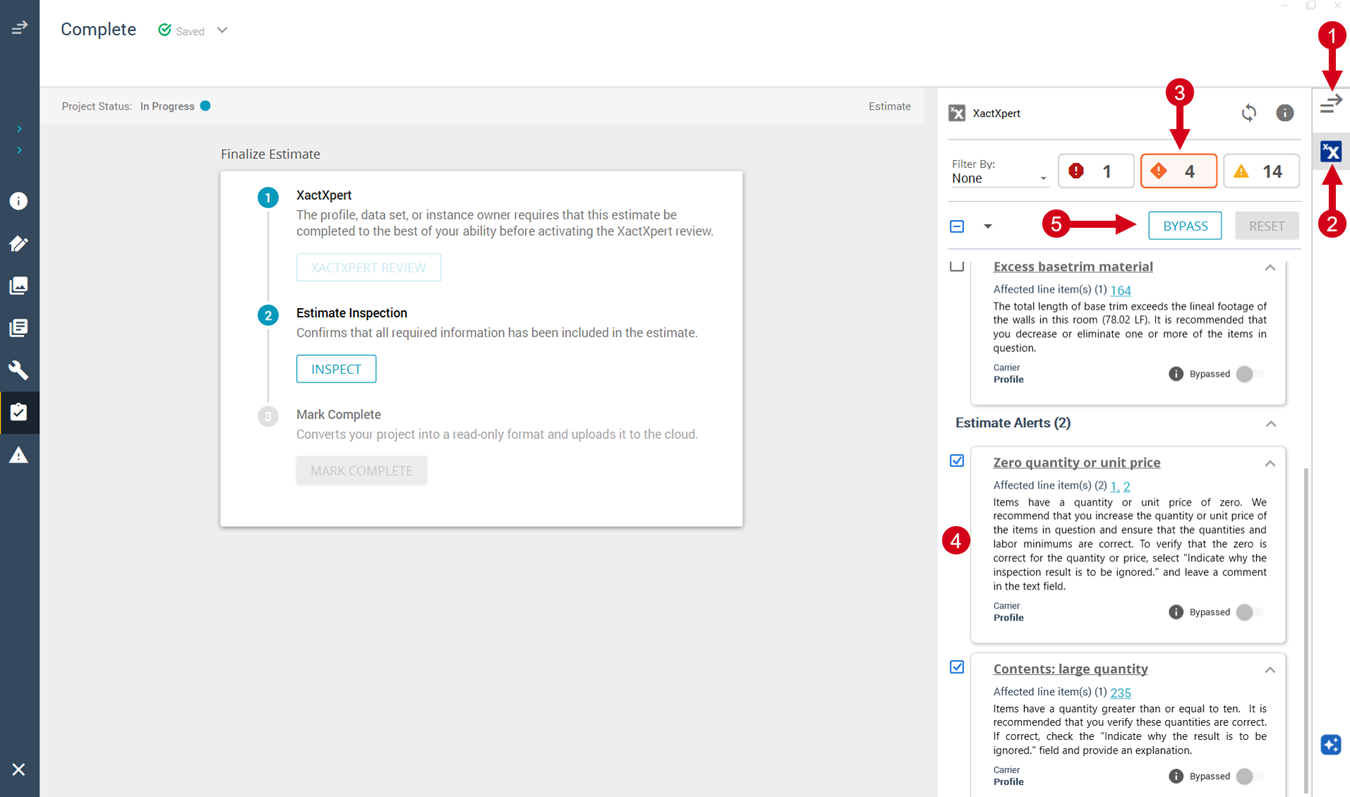
- Open the Inspection sidebar.
- Ensure that you are on the XactXpert tab.
- Select the Warnings tab.
- Select the checkbox(es) next to one or more Warnings.
- Select Bypass. The Multiple bypass window opens.
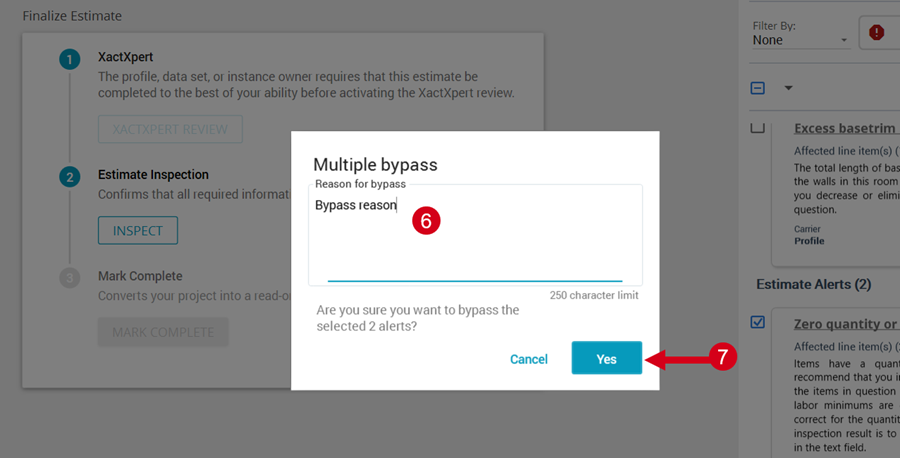
- Enter a bypass reason into the field. The reason applies to all of the selected Warnings.
- Select Yes.
Expected Result
The selected Warnings are bypassed with the same reason.