Track vendor requests with the Vendor request status column
 Updated
by
Jill Bowers
Updated
by
Jill Bowers
You can track data requests from third-party vendors with the Vendor request status column, which is available on the Projects page in Xactimate.
Note: The Vendor request status column only appears when the Vendor requests profile feature is active. To learn more, see our Profile feature: Vendor requests document.
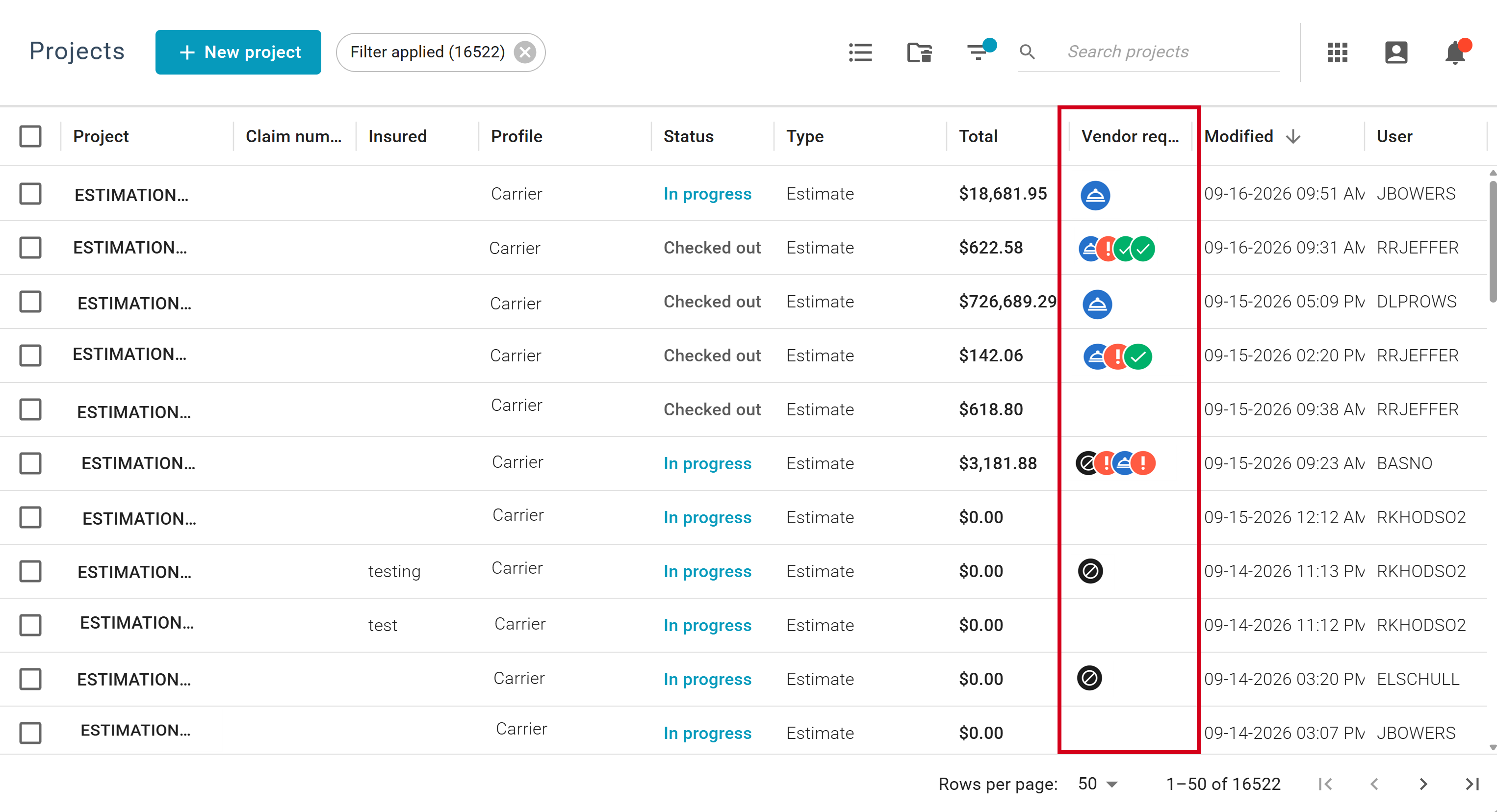
Make the Vendor request status column visible
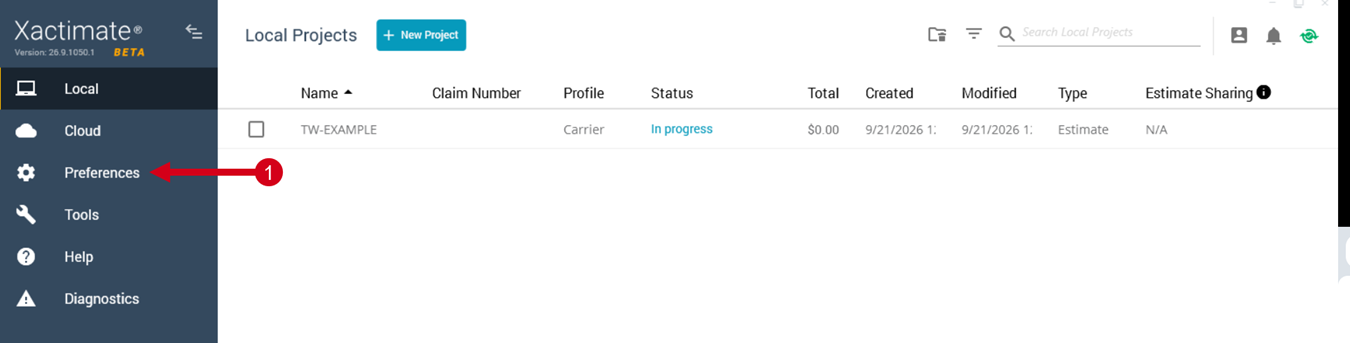
Xactimate desktop
- From the Projects page in Xactimate, navigate to Preferences.
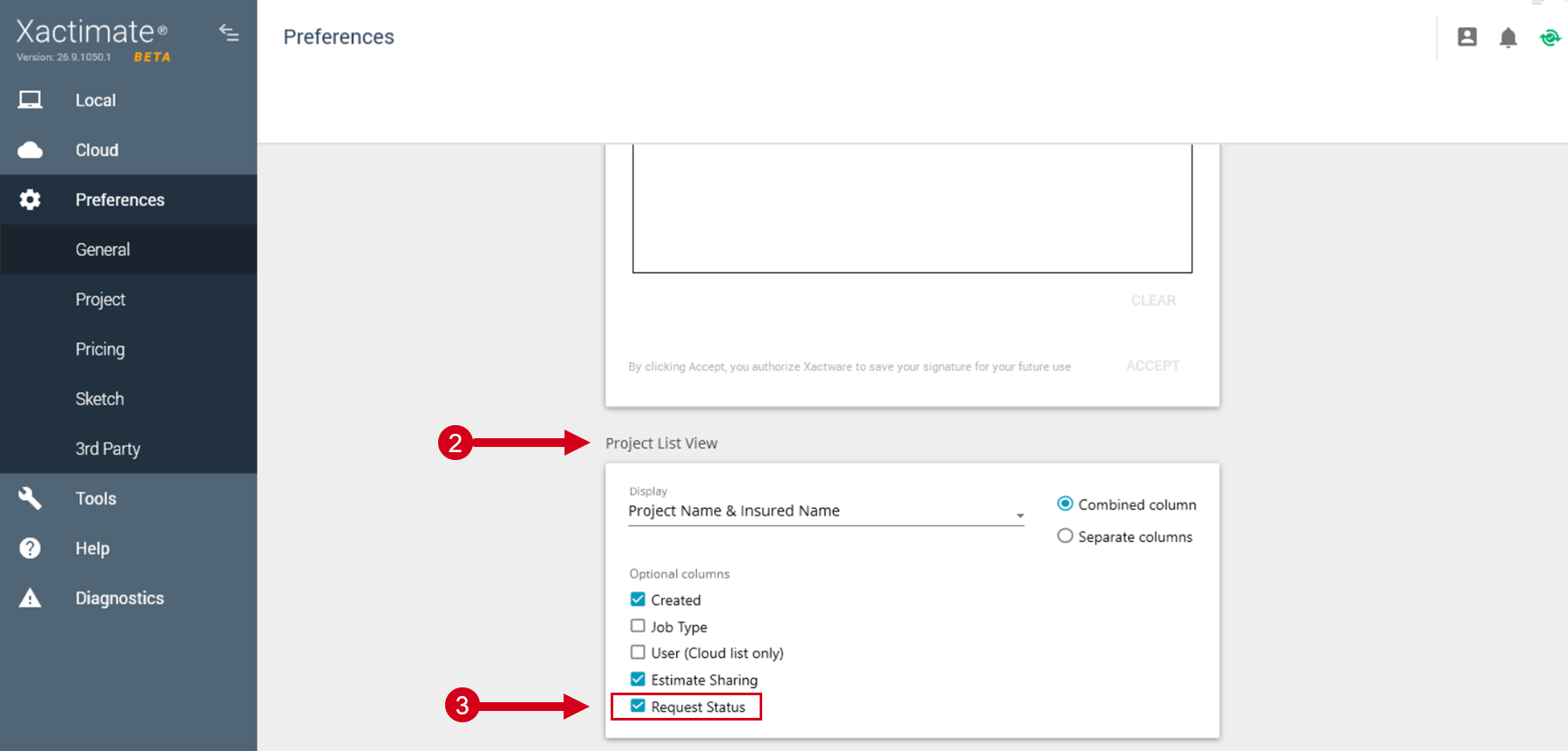
- On the General page, navigate to the Project List View section.
- Select the Request Status checkbox.
Xactimate online
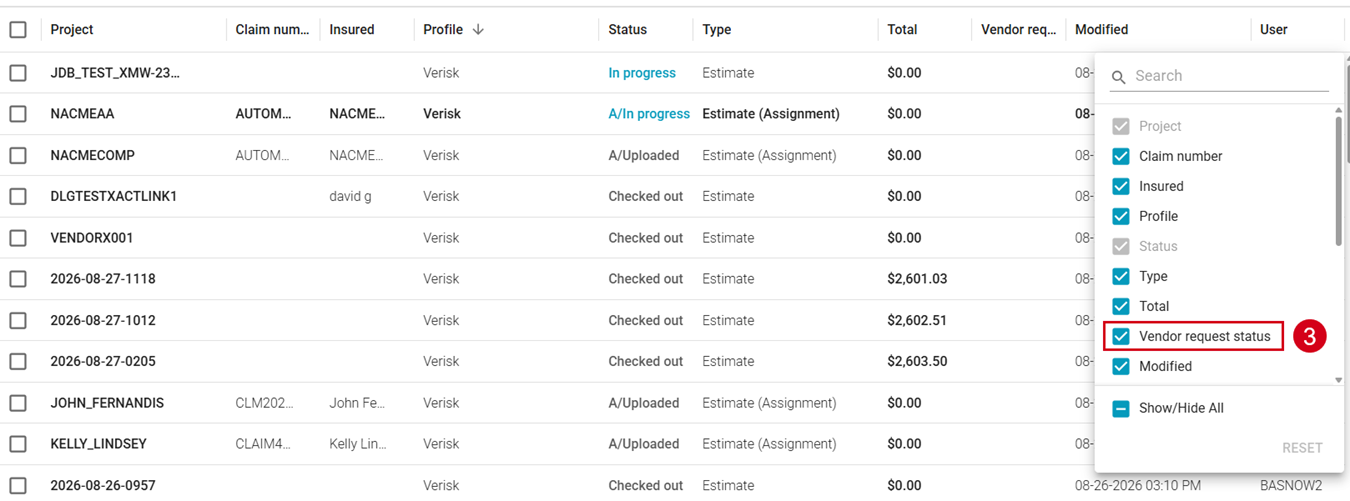
- On the Projects page in Xactimate, select the Menu icon next to any column name.
- Select Manage columns.
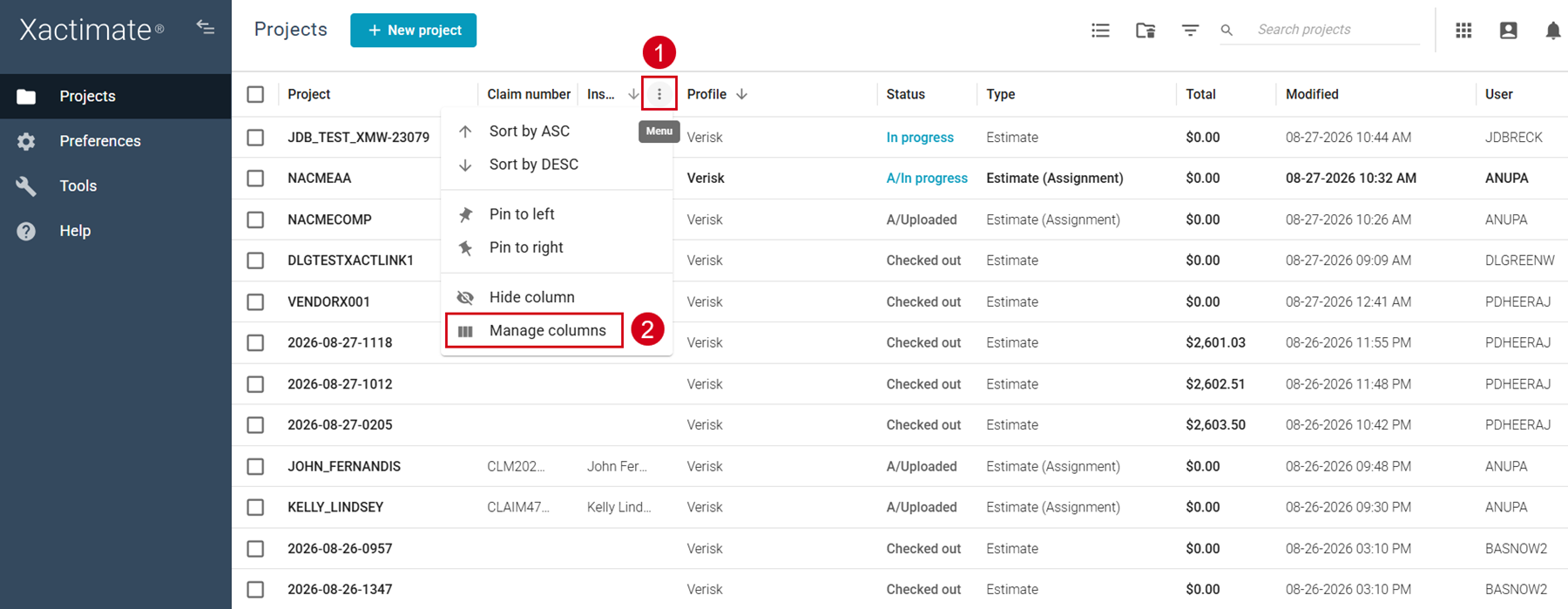
- Select the Vendor request status checkbox.
Status icons
The Vendor request status column uses icons to indicate where your requests are in the process. A status icon appears for every data request in the project.
Icon | Icon name | Meaning |

| Requested | The Requested icon indicates that a vendor request has been submitted. This icon appears until the vendor sends an update. |
 | Attention | The Attention icon indicates that the vendor from whom you requested information has asked for additional information from the user. |
 | Fulfilled | The Fulfilled icon indicates that the request has been completed by the vendor. |
 | Cancelled | The Cancelled icon appears when the vendor or the user cancels the request. |
Note: Statuses only change after the vendor provides an update.
Detailed view
For more details about vendor request statuses, follow these steps.
- Select your project from the Projects list.
- Select the Preview icon. A side drawer opens.
- Scroll to the Vendor request status section.
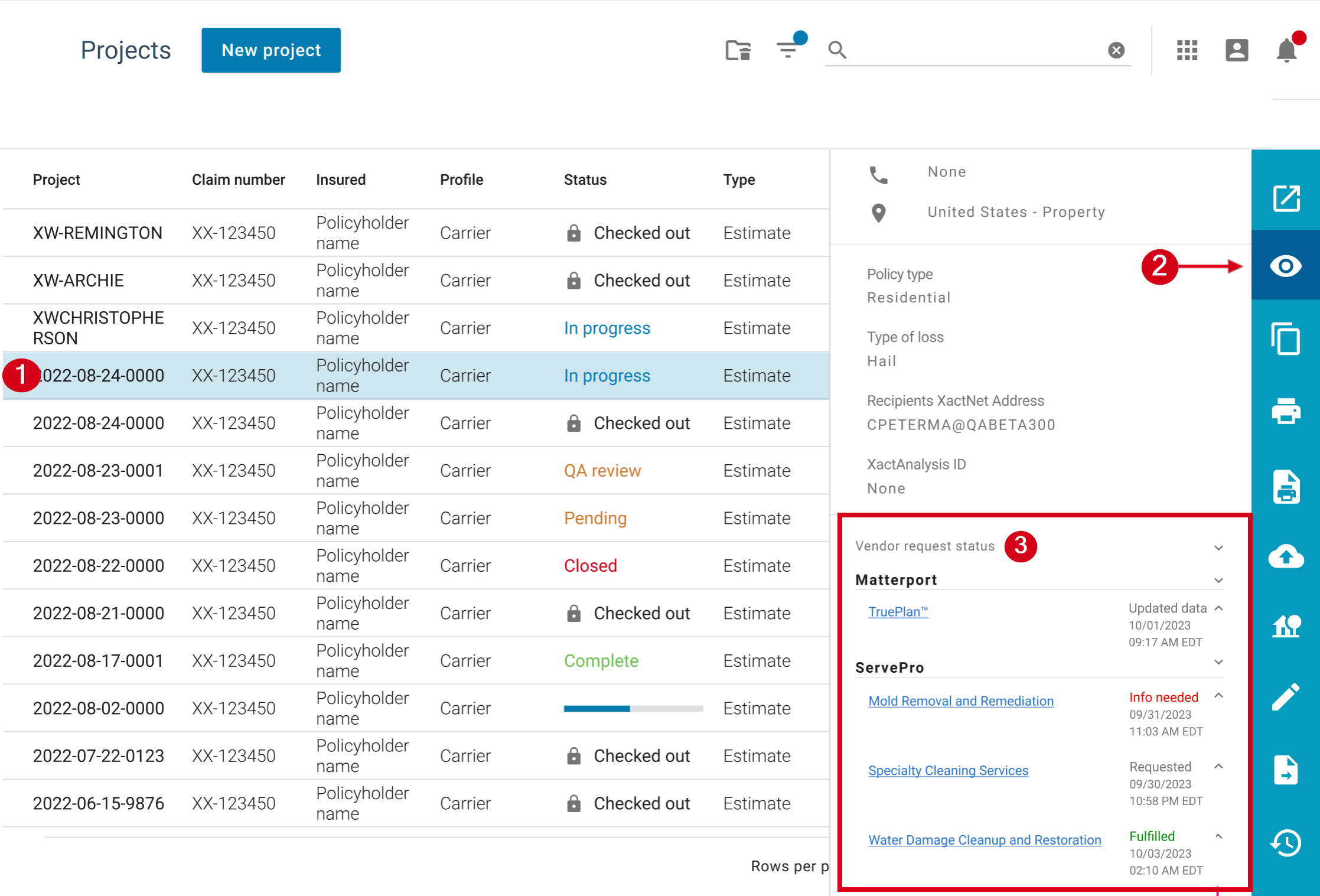
Selecting the hyperlinks for each request in the side drawer opens a new window to an external site where you can address any issues identified by the vendor.
You can also view the history of the request by selecting the arrow next to it. This reveals the date and time of any changes to the request, which can include when:
- the request was sent
- data was updated
- additional information was requested
- the request was fulfilled
- the request was cancelled