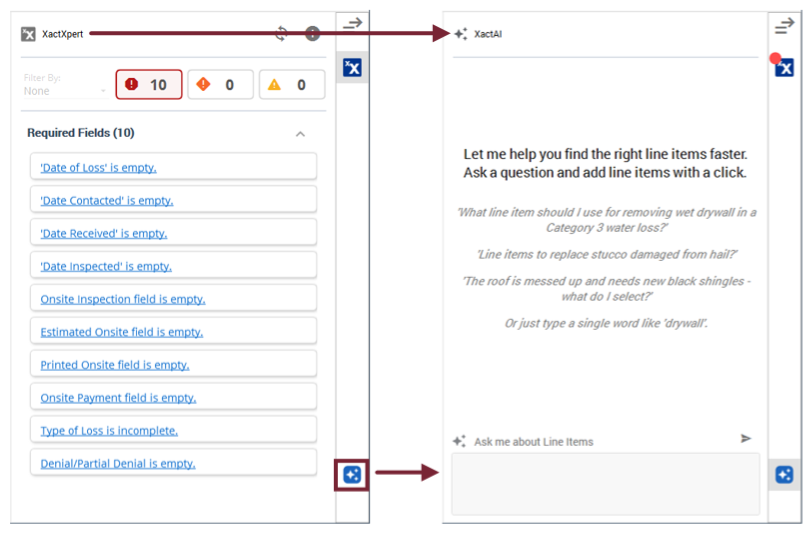
The side drawer
 Updated
by
Heather Jones
Updated
by
Heather Jones
The Xactimate side drawer currently includes only XactXpert, but it will soon feature existing tools such as Global Changes Wizard, Reference Search, and Macros as well as two new and innovative tools: XactAI Line Item Advisor and XactGen. This change is meant to bring greater efficiency to the way you create, validate, and edit line items.
You can find the drawer on the right side of the screen. It is available at any time within a project, and you can open it in two ways (if not already open):
- Select the arrow at the top of the ribbon.
- Select the icon for the feature you want to open (available features vary by your settings)
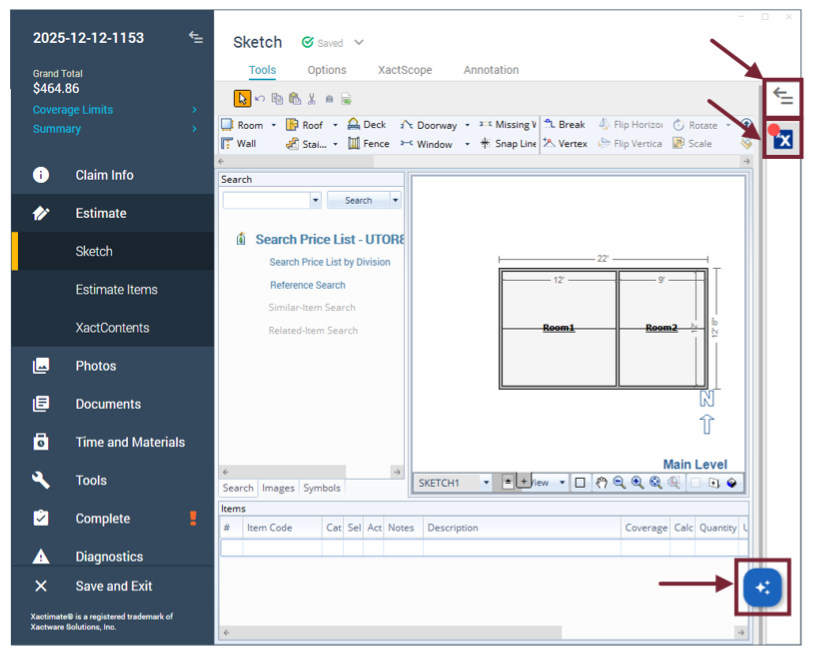
If you open the drawer to the wrong feature, simply select the correct one from the ribbon.