Profile feature: Loss Reporting Full HVAC Component Replacement
 Updated
by
Jill Bowers
Updated
by
Jill Bowers
When the Loss Reporting Full HVAC Component Replacement profile feature is active, the Full HVAC Component Replacement checkbox appears in the Loss Reporting card, which is under the Coverages & Loss tab in Claim Info.
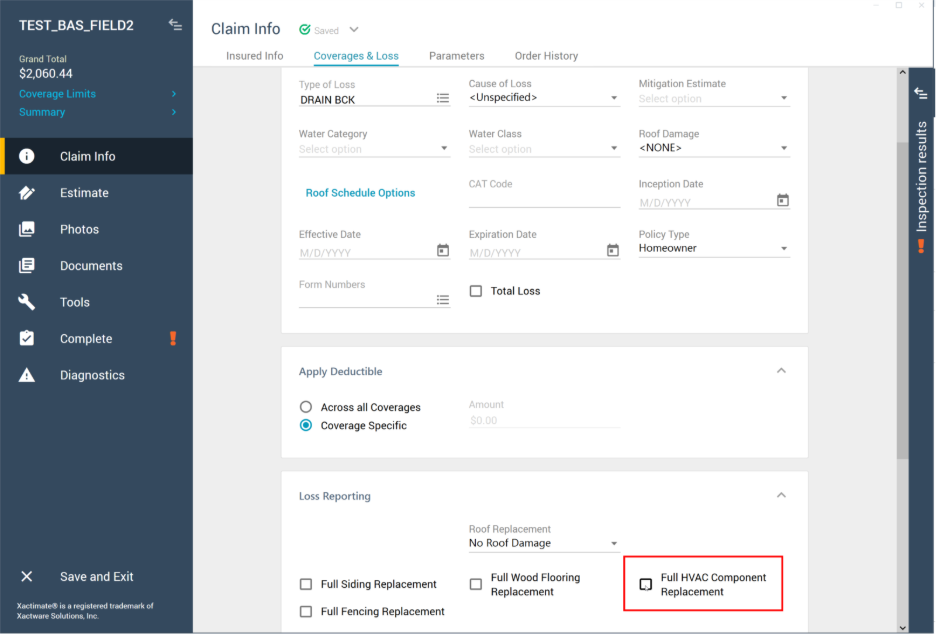
Selecting the Full HVAC Component Replacement checkbox tells Xactimate to gather information on HVACs to send to XactAnalysis.