Find account information in XactAdmin
 Updated
by
Jill Bowers
Updated
by
Jill Bowers
XactAdmin provides access to important information about your instance, account, users, and licenses. This information is in the following locations.
Instances table
Basic license and account information is visible in the Instances table. You may need to scroll horizontally across the table to access all the information.
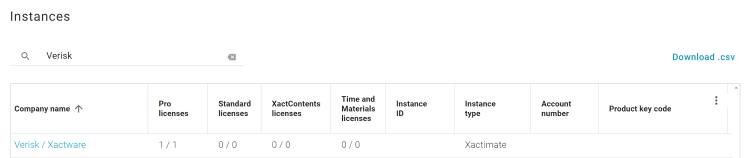
The Instances table shows:
- License types (Pro, Standard, XactContents, Time and Materials) and numbers
- Instance ID
- Instance type
- Account number
- Product keycode
- XactNet address
- Verisk Account ID (if available)
- Project count
Users tab
The Users tab informs you of the types and number of licenses in use. User-specific information is also available in the Users table.
You may need to scroll horizontally across the table to access all your information.
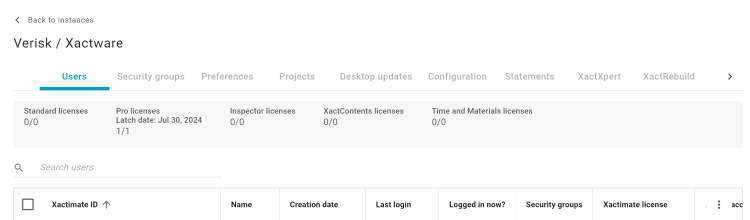
The Users tab shows:
- License types and numbers
- User-specific account details
- Xactware ID
- Name
- User's creation date
- Login history
- XactNet Address
- Security groups
- Xactimate license
- XASP adjuster account
- Admin access
- XactContents license
- XID
Account and license information box
Information specific to your licenses and instance is available in the Account and license information box in the Configuration tab.
This information includes:
- License types and numbers
- Verisk account ID
- Product keycode
- XactNet address
- Instance ID